Epic Launcher Preview Adds Linux Support and Reworks Libraries and Downloads

Epic's Preview reaches Windows, Apple silicon Macs and selected Linux distributions, with new library tools, download details and some legacy functions still missing.
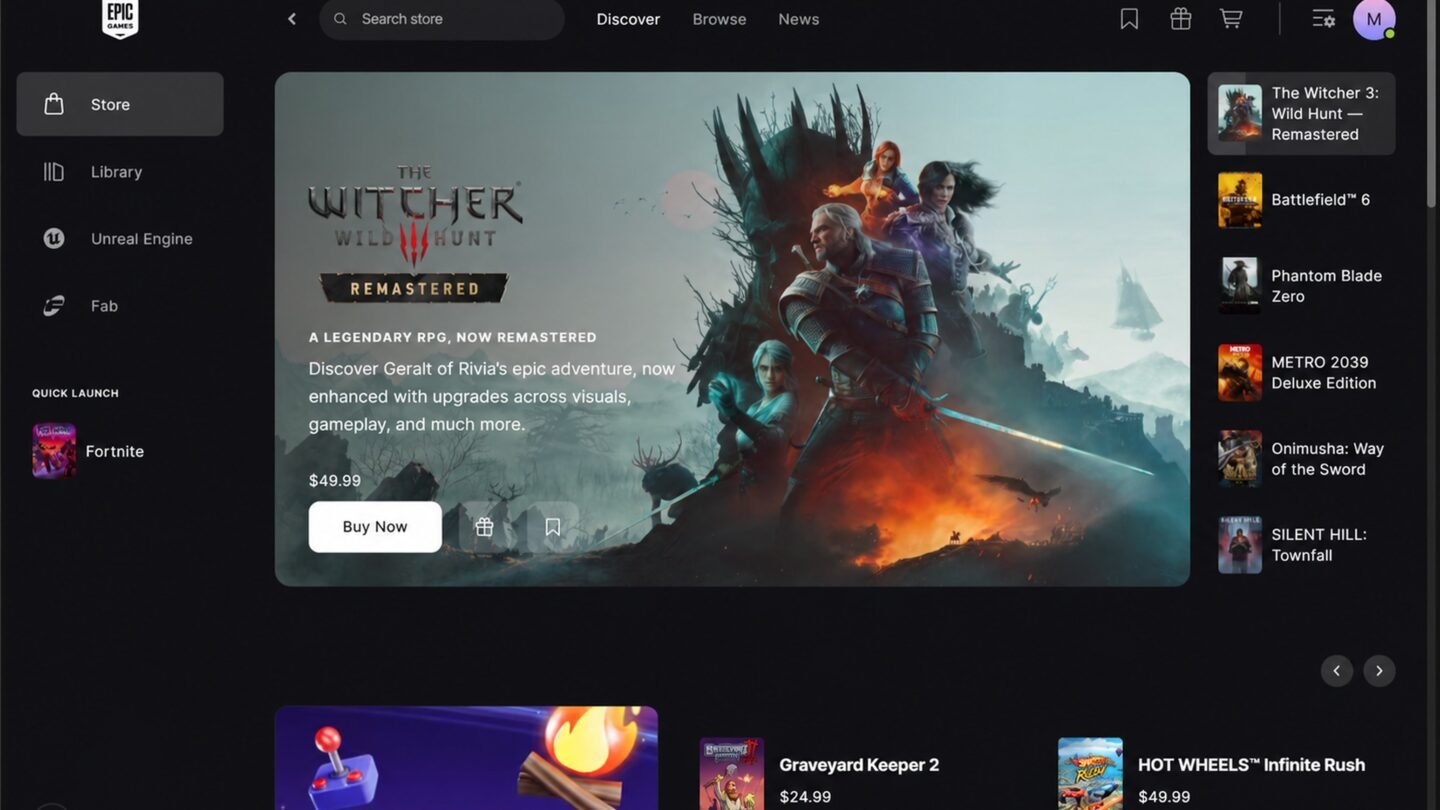
Linux users can try a native Epic Games Launcher through the company’s new Preview, alongside redesigned Windows and macOS clients. The rollout also changes how players search a library and follow the work behind a download.
Epic’s October 14 announcement introduces the Preview for Windows, macOS, and Linux. It describes faster startup and navigation relative to its existing launcher, alongside revised library and download tools.
| Announced change | A useful first task |
|---|---|
| Collections and live filtering | Find one installed game inside a large library. |
| Customizable top bar | Pin the games or apps you open regularly. |
| Dedicated game pages | Locate the title’s status and launch control. |
| Download monitoring | Inspect active, queued, scheduled, and failed jobs. |
Epic’s announcement uses the phrase “vibe coded” to introduce the redesign and calls the first release light on features. The software is being offered as a Preview, with a narrower feature set than the existing client and further work still to come.
What carries over from the existing launcher
Use the download and supported-system information linked from Epic’s announcement. The company says account-linked purchases, installations, cloud saves, and progress carry over. Linux users should check the supported-distribution FAQ before choosing an installer.
A closer view of download activity
Epic lists separate download, read, and write speeds. Those figures are valuable because receiving data and working with files are different activities. A quiet network indicator alone does not explain whether an update has finished or stopped progressing.
The job state gives those numbers context. An active transfer, a queued installation and a failed update call for different responses. Showing network and storage activity together should make it easier to describe a problem when reporting it to support.
Supported operating systems
Epic’s Preview FAQ identifies the supported systems:
| Platform | Listed requirement |
|---|---|
| Windows | Windows 10 or 11, 64-bit. |
| Mac | macOS 12+; Apple M1+. Intel Macs excluded. |
| Linux | Ubuntu 22.04 LTS+, Fedora 43+, or Debian 12+; x86-64. |
| Memory | 4GB RAM across the listed platforms. |
Some legacy social and account-management functions are still missing. For someone switching a daily setup, those gaps matter alongside startup speed: an interface can feel faster while lacking a function the old routine depends on.
On Linux, native launcher support and game compatibility are separate layers. Epic notes that many games remain Windows builds and may need a compatibility layer. Its October announcement describes further Easy Anti-Cheat and distribution work before bringing Fortnite to Linux. The FAQ’s general statement about competitive play should not be read as announcing that specific release.
Epic’s speed claim compares the Preview with its existing launcher. For players deciding whether to switch, the concrete additions are native Linux access, clearer update monitoring and revised library organization. Missing legacy functions remain part of that decision, particularly when the launcher is used daily.