Xbox Nano Controller Packs Standard Inputs Into a $49.99 Compact Design

Microsoft's smaller rechargeable controller keeps 18 standard inputs and adds an Action Button. Its announced size, power and connections show how it compares with the standard pad.
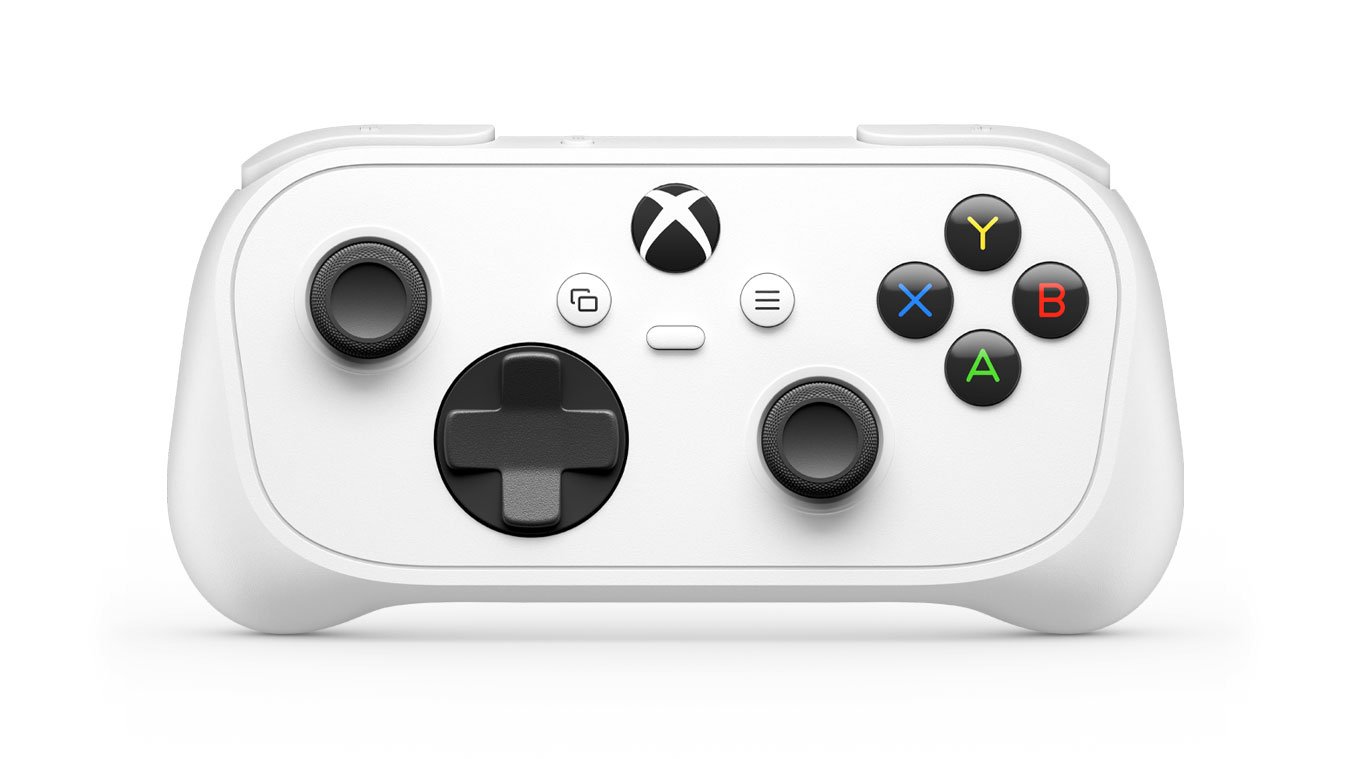
Microsoft’s Xbox Nano Controller keeps all 18 standard gameplay inputs in a shell a little over five inches long. At $49.99 in the US, the compact rechargeable pad is pitched around a different fit while retaining Xbox Wireless and Bluetooth.
The October 14 Xbox Wire announcement gives the US price as $49.99 and says availability begins in November 2026 in listed markets. Local prices and availability vary.
| Announced specification | Xbox Nano Controller |
|---|---|
| Length | A little over five inches: just over 12.7 centimetres. |
| Weight | 3.5 ounces: approximately 99 grams. |
| Gameplay inputs | All 18 standard inputs. |
| Extra control | Programmable Action Button. |
| Connections | Xbox Wireless and Bluetooth. |
| Power | Rechargeable battery. |
How Nano compares with the standard controller
Microsoft’s standard Xbox Wireless Controller page provides a feature baseline. Both products list Xbox Wireless and Bluetooth, so the smaller shell is not the only difference to inspect.
| Feature | Nano announcement | Standard controller listing |
|---|---|---|
| Power | Rechargeable battery. | AA batteries; up to 40 hours advertised. |
| Capture control | Programmable Action Button. | Dedicated Share button. |
| Wireless options | Xbox Wireless and Bluetooth. | Xbox Wireless and Bluetooth. |
Microsoft advertises up to 40 hours for the standard controller. The Nano announcement supplies no matching endurance figure, so the documented power difference is its built-in rechargeable battery versus the standard model’s replaceable AAs.
For a second controller in a shared household, that creates a practical choice: a smaller rechargeable device may be convenient for one player, while another values keeping spare AA batteries ready. Neither feature establishes which shell will be comfortable through a long session.
Connections and the Action Button
For a console, computer, or television setup, confirm the device’s controller-support instructions and the intended connection method before buying. The presence of Bluetooth does not describe every function on every host device.
The programmable Action Button adds a customization choice. A screenshot shortcut is useful if it replaces an action you perform regularly. Its usefulness depends on which actions can be assigned in the intended setup.
Grip and reach depend on the player
The smaller shell keeps the standard input count, so its attraction depends on reach rather than fewer controls to learn. That could matter in a household where players share a console but find different pad sizes comfortable.
A compact shell can shorten the distance to a button for one player while making the controls harder to separate for another. The Nano’s dimensions describe the object; hand position, grip strength, and the movements required during a particular game determine how usable it feels.
That makes a try-before-buy opportunity more valuable than a pocket-size photograph. A player should be able to reach the sticks, face buttons, bumpers, and triggers while keeping a relaxed grip. Reaching each control separately is only part of the test. A game may ask for combinations, such as moving a stick while holding a trigger and pressing another button.