MKBHD Examines the iPhone Duo’s App and Hardware Trade-Offs

Brownlee's review puts Apple's foldable screen in context alongside app layouts, Touch ID and camera compromises. Here is how the announced hardware compares with everyday tasks.
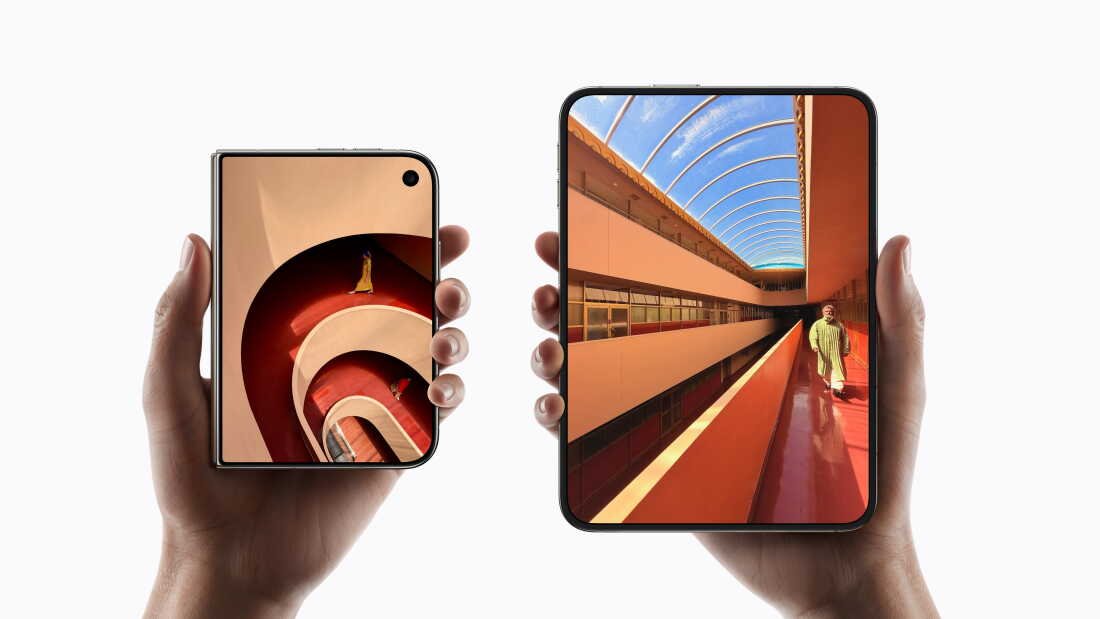
Apple’s $1,999 iPhone Duo opens from a 5.4-inch outer display to a 7.6-inch inner screen. Marques Brownlee’s review examines whether the extra workspace earns its place in everyday use, alongside the hardware compromises required by the folding design.
Marques Brownlee’s October 21 review examines that trade-off, with app compatibility and hardware compromises central to his assessment. Apple’s product announcement supplies the specifications: a 7.6-inch inner display, a 5.4-inch outer display, and a starting US price of $1,999.
Where the larger display can help
| Everyday Task | Display / Hardware Question | Practical Effect |
|---|---|---|
| Reading and browsing | Text layout, usable width, and scrolling when open. | A larger panel helps only if the app uses it well. |
| Messaging while checking information | Two-app layout and keyboard space. | More room may reduce switching, or leave controls cramped. |
| Photography | The cameras and controls you use most often. | A display upgrade does not replace every photographic feature. |
| Frequent short interactions | Unlocking, notifications, and one-handed use while closed. | The folded device still handles much of a normal day. |
App layouts have to work in both positions
Brownlee’s review describes the launch-software experience. App layouts can improve through updates, while the phone’s cameras and authentication hardware remain fixed. That gives the buying decision two time frames: the software available today and the physical design an owner will keep.
Apple’s October overview describes its own apps and multitasking design. Third-party software is the next part of that experience: an expanded canvas helps most when controls, text and supporting panels make good use of the width.
Closed-phone use still matters
Apple’s technical specifications identify separate inner and outer displays. The practical comparison is how an app behaves across both states. A comfortable reading view when open does not tell you whether its navigation, keyboard, and notifications remain convenient when the phone is closed.
That is especially relevant for a device used in short bursts. Replying to a message while standing, checking a map, and settling down to read an article put different demands on the same hardware. A buying demonstration should include all three kinds of interaction, rather than only the open-screen view that makes the transformation most striking.
Apple’s announcement also places Touch ID in the side button. Brownlee’s discussion of missing Face ID is therefore a comparison between authentication methods, rather than evidence that the device lacks biometric unlocking altogether. Whether the change is an inconvenience depends on the way someone normally reaches and unlocks their phone.
Touch ID and the camera configuration
Apple describes a 48-megapixel main camera and a 48-megapixel ultrawide camera, with an optical-quality 2x option from the main system. A buyer comparing the Duo with a Pro model should look at the exact camera functions they rely on, rather than treating a large megapixel figure as a complete comparison.
The same discipline applies to battery claims. A folding device can be used primarily on its outer display, primarily on its inner display, or through a mixture of both. A quoted endurance result needs its test conditions before it can describe a particular person’s day.
Brownlee’s hands-on account provides the review perspective, while Apple’s product pages document the hardware. The comparison favors a specific use case: someone who regularly reads or works across apps has more opportunities to use the inner display than someone whose phone interactions are mostly brief replies and notifications.